Find here a variety of New Dell Bios Master password to unlock locked Dell Laptop and Desktop.
Supported Dell models we can unlock are Dell: Inspiron, Latitude, Optiplex, Alienware, XPS, Precision, Vostro, Venue, Wyse, G Series & Studio.
Contact us by whats app
Supported Dell suffixes, error code and messages are:
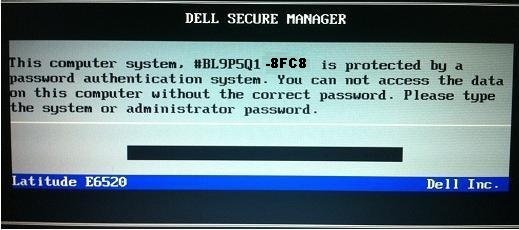
New Dell with suffixes: 8FC8, 3FE2, CF1B, 1B58, 9ABE, AE60. Older Dell with suffixes: E7A8, BF97, 6FF1, 1F66, 1D3B, 3A5B, 1F5A, 595B, 2A7B. Dell with error code and messages: System Disable, Unlock key hint number, Password error code, service tag, Hard-dive serial number, PPID, system or administrator password.
Please choose below what kind of Bios password you need.
Dell Master Password for Dell Showing: System Disabled.
Disabling the Dell Bios Password Using our Provided Dell Master password:
You can reset Dell Bios Password using a Dell Master Password.
Please Follow this instructions:
Restart the laptop pressing F2 Every second,
Type the provided Dell Master Password we sent you,
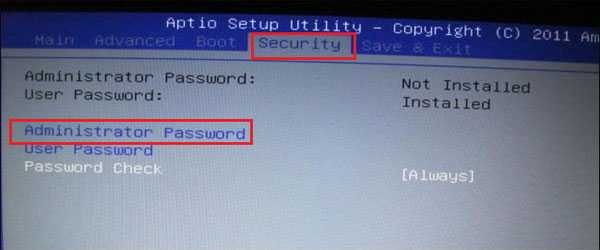
Go to: security,
Then: passwords,
Look for the option: Unlock Setup,
Go to: administrator password,
Them Reset the password,
There will be 3 fields,
Type the Master password we sent you in the first field,
And leave the other 2 fields Empty !
Click on Save it,
Password should now be removed and the laptop will stop asking for the password on boot.
This instructions apply to Dell: Inspiron, XPS, Vostro, Latitude, Precision, Alienware, Venue, Optiplex & Studio,